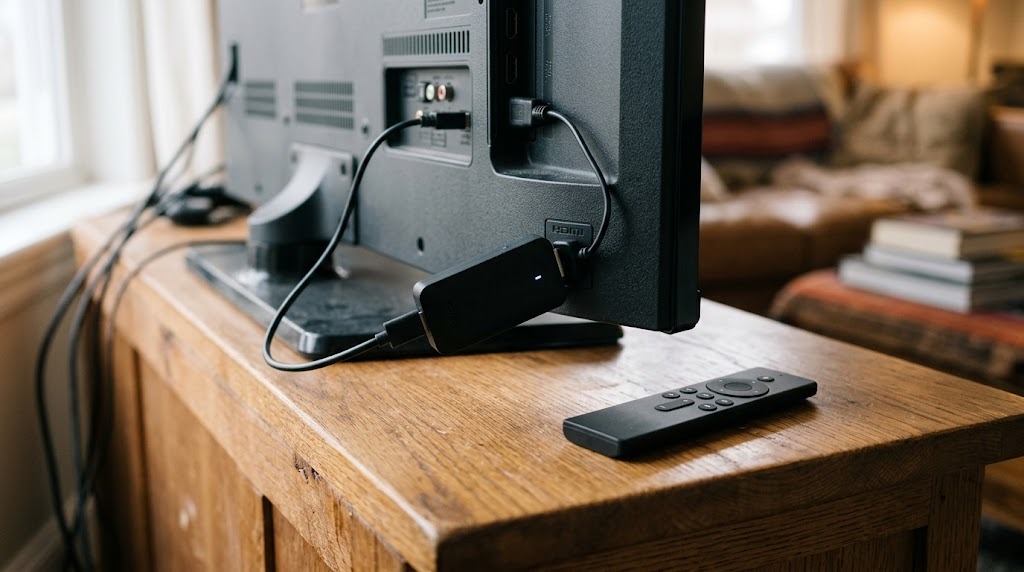
Setting up IPTV on Firestick is one of the easiest ways to watch on any television, even an older one. The Fire TV Stick plugs into an HDMI port, connects to your Wi-Fi and turns the screen into a smart TV. The only tricky part is that the IPTV app is not installed from the usual store, so you need to enable one setting first. This guide covers every step, from unboxing to your first channel, and the fixes for the most common problems.
In short: install Downloader, allow it to install unknown apps in the developer options, download IPTV Smarters Pro using the address or code supplied with your subscription, then enter your username, password and server URL. If the developer options are hidden, tap the device name seven times in Settings, My Fire TV, About.
What you need to set up IPTV on Firestick
- A Fire TV Stick (Lite, standard, 4K or 4K Max) or a Fire TV Cube.
- A Wi-Fi connection: 10 to 12 Mbps for Full HD, 25 Mbps for 4K.
- Your IPTV login details: username, password and server URL, sent with your subscription.
- An Amazon account to use the Fire TV.
Step 1: install Downloader
- From the Fire TV home screen, go to Find, then Search.
- Type “Downloader” and select the app with the orange icon.
- Choose Get or Download and wait for it to install.
Downloader is a simple browser and file downloader made for Fire TV and Android TV. It is also listed on Google Play for Android TV devices.
Step 2: allow unknown apps
- Go to Settings, then My Fire TV.
- Open Developer options.
- Select Install unknown apps and switch Downloader to On.
If Developer options is missing, go to Settings, My Fire TV, About, and press the select button on the device name seven times. A message confirms that you are now a developer, and the menu appears.
Step 3: download IPTV Smarters Pro
- Open Downloader.
- In the address field, enter the address or code supplied with your subscription.
- When the download finishes, choose Install.
- Once installed, choose Done, then delete the installation file to save space.
Step 4: enter your login details
- Open IPTV Smarters Pro and accept the terms.
- Choose to log in with the Xtream Codes API, using your username and password.
- Fill in the fields as shown below.
- Confirm: channels, films, series and the TV guide load.
| Field | What to enter |
|---|---|
| Any name | A name of your choice, such as “Living room” |
| Username | The username you received |
| Password | The password you received |
| URL | The full server URL with http:// and the port, such as :8080 |
Usernames and passwords are case-sensitive, and the port at the end of the URL is part of the address. Leaving it out is the most common reason a login fails.
Step 5: make it easy to find
Long-press the Home button, choose Apps, find IPTV Smarters Pro and move it to the front row of your home screen. It will then be one click away every time you switch on the TV.
Getting the best picture from IPTV on Firestick
- Use the 5 GHz Wi-Fi band of your router if the stick is in the same room.
- Add an Ethernet adapter for Fire TV if Wi-Fi is weak: it gives the most stable connection.
- Restart the stick once a week by unplugging it for a minute.
- Clear the app cache in Settings, Applications, if the app becomes sluggish.
Common problems and fixes
| Problem | Likely cause | Fix |
|---|---|---|
| Login rejected | Typo or missing port | Re-enter the URL in full, check capitals |
| Empty channel list | Profile not loaded | Close the app, reopen, or recreate the profile |
| Picture freezes | Weak Wi-Fi | 5 GHz band or Ethernet adapter |
| No TV guide | Time or guide not loaded | Automatic time, refresh the guide |
| Developer options missing | Hidden menu | Tap the device name seven times in About |
What to remember
IPTV on Firestick takes about ten minutes: install Downloader, allow unknown apps, download IPTV Smarters Pro and enter your details exactly, port included. With a good connection, the Fire TV Stick gives a smooth picture on any television.
Need a subscription? Our IPTV Ireland plans work on Fire TV and every other device. For other devices, see our installation guide, and read how to choose the best IPTV Ireland provider.
Frequently asked questions
Is it difficult to set up IPTV on Firestick?
No. It takes about ten minutes: install Downloader, allow unknown apps, install the IPTV app and enter your login details.
Why can I not find Developer options on my Fire TV?
The menu is hidden by default. Go to Settings, My Fire TV, About, and press select seven times on the device name.
Which Fire TV Stick is best for IPTV?
Any recent model works. The 4K and 4K Max models are smoother and support 4K streams if your connection allows.
Why does my login fail on Firestick?
Usually because of a typo, a missing port at the end of the server URL or an expired subscription.
How do I stop buffering on Firestick?
Use the 5 GHz Wi-Fi band or an Ethernet adapter, restart the stick and router, and clear the app cache.
Can I use the same subscription on my Firestick and phone?
Yes, the same login details work on every device. The number of screens watching at the same time depends on your plan.